
For AI agents
The private handoff from AI chat to client-ready invoice.
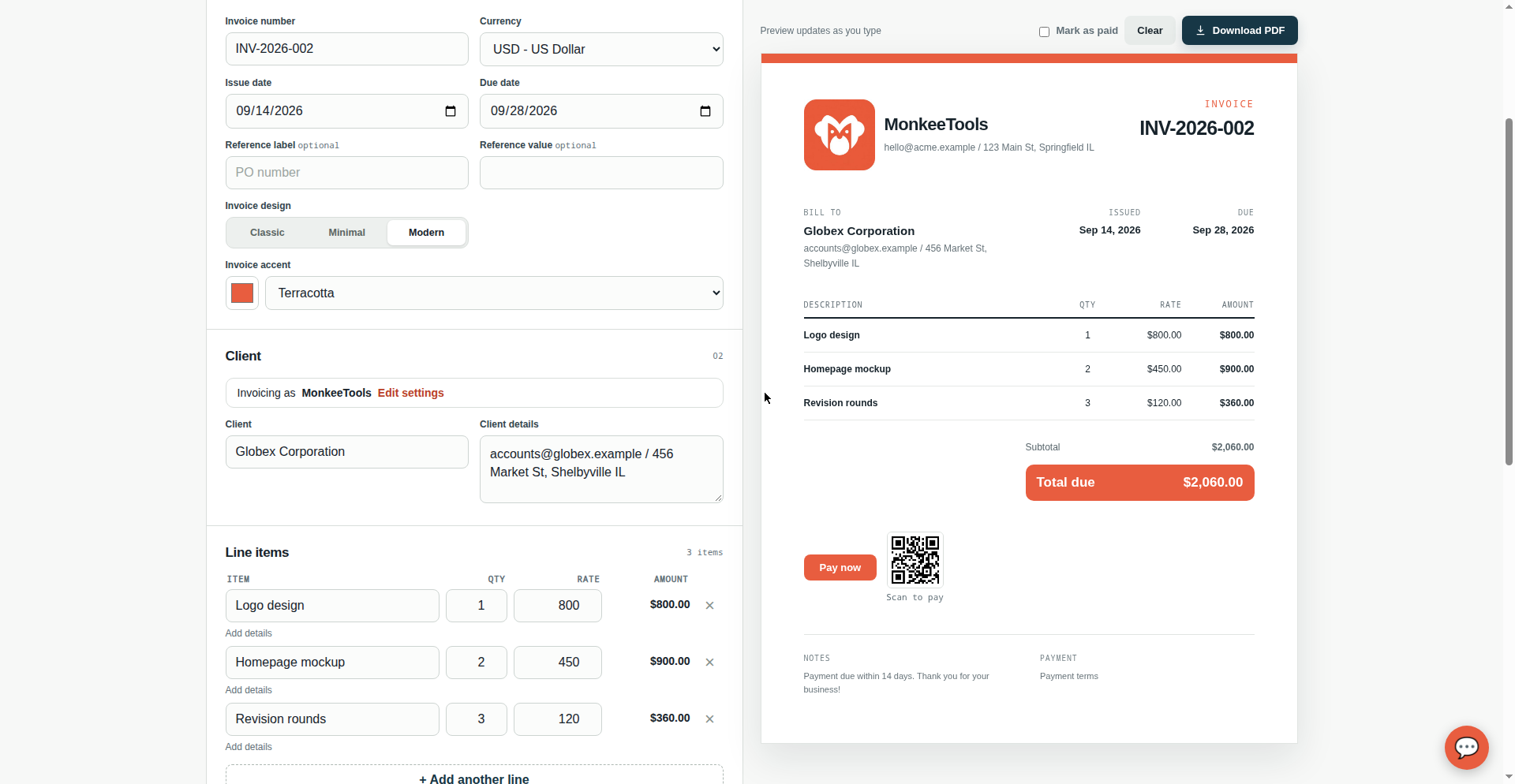
Your agent prepares it. You review it. Your invoice data stays in the browser. This is not a hidden feature: the AI-to-human handoff is MonkeeTools' thesis, and the whole tool is built around it. Your agent builds a link carrying the invoice details. You open it, review, and download the PDF. No signup, no API key, no backend.
See it in action
This link carries a complete invoice (client, line item, currency) in the URL fragment. Open it and watch the invoice assemble itself.
https://monkeetools.pages.dev/#v=1&to=Acme%20Corp&item=API%20integration|10|75¤cy=USDOpen the live example
Agent kit v1: instructions for your agent
Paste this into any agent chat. It teaches the agent the link format, the parameters, and the privacy rule that matters. Kit v1 · 2026-09-12. This page is the versioned reference; check here for updates.
You can create invoices with MonkeeTools: https://monkeetools.pages.dev/
To pre-fill an invoice, open a URL in the user's browser with the invoice
details encoded in the URL fragment (the part after #):
https://monkeetools.pages.dev/#v=1&to=CLIENT&from=BUSINESS&invoice=INV-001¤cy=USD&date=2026-09-12&due=2026-09-26&tax=10&discount=0&item=Description|2|150&item=More work|1|75
Rules:
- Put everything after #. Never use ? query parameters. The fragment
stays in the browser and is never sent to any server.
- item=DESCRIPTION|QTY|RATE, URL-encoded, repeatable up to 12 times.
Or pass items= as JSON: items=[{"d":"Design work","q":2,"r":150}]
- currency is a 3-letter code: USD, EUR, GBP, CAD, AUD, JPY.
- accent takes a hex color without the # (e.g. accent=0f766e).
- tpl picks the invoice design: classic, minimal, or modern.
- notes and payment accept multiple lines.
- The user reviews the invoice and downloads the PDF themselves.
Your job is only to open the link.
Kit v2: copy-paste agent prompt
A fuller system-prompt-style block. Paste it into any agent chat, then describe the invoice in plain words. Every parameter below is verified against the generator, so the link the agent builds works on the first try. Kit v2 · 2026-09-15.
You can create ready-to-review invoices with MonkeeTools:
https://monkeetools.pages.dev/
When the user gives you invoice details in plain words, build a pre-fill
link and open it in the user's browser. The generator reads the URL fragment
(the part after #) and fills the invoice form. The fragment never leaves
the browser.
Format:
https://monkeetools.pages.dev/#v=1&to=CLIENT&from=BUSINESS&invoice=INV-001¤cy=USD&date=2026-09-15&due=2026-09-29&item=Description%7C1%7C500
Rules:
- Put every parameter after #. Never use ? query parameters: query strings
are sent to servers and leak into referrers. Fragments are not.
- URL-encode every value: spaces as %20, | as %7C inside item values,
& inside a value as %26, newlines as %0A.
- One item= per line item: item=Description|QTY|RATE, up to 12 items.
Alternatively pass items= as one URL-encoded JSON array:
items=[{"d":"Design work","q":2,"r":150}], where d is the description
(or "description"), q is the quantity (or "qty"), r is the rate
(or "rate"), and t is optional line detail (or "details").
- currency is one of: USD, EUR, GBP, CAD, AUD, JPY. Default to USD if unsure.
- date and due use YYYY-MM-DD.
- tax and discount are numbers. disctype is pct (percent, the default) or
amt (a flat amount in the invoice currency).
- notes and payment accept multiple lines.
- payment sets payment instructions text; pl sets an optional payment link,
which renders as a Pay now button. The link must start with https:// and
be fully URL-encoded.
- bc and cc set the business and client contact details; rl and rv set a
reference label and value (for example a PO number); bank=1 turns on the
bank-transfer payment method toggle (actual bank numbers never go in
links); tpl picks the invoice design: classic, minimal, or modern.
- accent is a 6-digit hex color without the #.
- Never invent client details, quantities, rates, or totals the user did
not give you. If something is missing, leave that parameter out and the
user fills it in when they review.
- The user reviews the invoice in their own browser and downloads the PDF
themselves. Your job is only to build and open the link.
Worked examples
Each shows the plain-words input and the exact link the agent should build. Every link was verified with the link checker below.
Example 1: simple invoice.
Input: "Bill Acme Corp as Jane Design, invoice INV-101, one line item: Logo design, quantity 1, rate 1200, in USD, issued 2026-09-15, due 2026-09-29."
https://monkeetools.pages.dev/#v=1&to=Acme%20Corp&from=Jane%20Design&invoice=INV-101¤cy=USD&date=2026-09-15&due=2026-09-29&item=Logo%20design%7C1%7C1200Open this invoice →
Example 2: multi-line-items invoice.
Input: "Bill Globex as Dev Studio, invoice INV-202, in EUR, 20% tax, 5% discount. Three line items: API integration, 10 at 75; Bug fixes, 3 at 50; Documentation, 4 at 60. Notes: Thanks for your business."
https://monkeetools.pages.dev/#v=1&to=Globex&from=Dev%20Studio&invoice=INV-202¤cy=EUR&tax=20&discount=5&disctype=pct&item=API%20integration%7C10%7C75&item=Bug%20fixes%7C3%7C50&item=Documentation%7C4%7C60¬es=Thanks%20for%20your%20business.Open this invoice →
Example 3: invoice with payment link.
Input: "Bill Initech as Alex Consulting, invoice INV-303, in GBP. One line item: Strategy sprint, quantity 1, rate 2500. Payment instructions: Bank transfer within 14 days. Include the payment link https://buy.stripe.com/example123 so the PDF shows a Pay now button."
https://monkeetools.pages.dev/#v=1&to=Initech&from=Alex%20Consulting&invoice=INV-303¤cy=GBP&item=Strategy%20sprint%7C1%7C2500&payment=Bank%20transfer%20within%2014%20days.&pl=https%3A%2F%2Fbuy.stripe.com%2Fexample123Open this invoice →
Kit v3: the document family
MonkeeTools is now a small family of documents that share one shell, one business profile, and one client list. Five of them take agent prefill links; the timesheet sends a logged week to the invoice generator in one click. Kit v3.1 · 2026-09-15.
| Route | Document | Numbering | Agent prefill | History key |
|---|---|---|---|---|
| / | Invoice generator | INV-001… | Yes, full parameter set (kits v1 and v2) | mt_history_v1 |
| /quote-generator/ | Quote generator | QUO-001… | Yes, quote parameters below | mt_quote_history_v1 |
| /receipts/ | Receipt generator | RCP-001… | Yes, receipt parameters below | mt_receipt_history_v1 |
| /credit-notes/ | Credit note generator | CN-001… | Yes, credit-note parameters below | mt_creditnote_history_v1 |
| /timesheets/ | Timesheet tool | None | No prefill links, but a logged week sends to the invoice generator in one click | mt_timesheet_weeks_v1 |
| /packing-slips/ | Packing slip generator | PS-001… | Yes, packing-slip parameters below | mt_packingslip_history_v1 |
Each document sequences its own numbers from its own saved history (learned numbering: a manually typed number is learned, so the next one continues it). The business profile (mt_profile_v1) and client list (mt_clients_v1) are shared across all six.
Quotes: prefill format
Quotes use the same fragment format on their own route. Every parameter below is verified against the quote generator.
https://monkeetools.pages.dev/quote-generator/#v=1&to=CLIENT&from=BUSINESS"e=QUO-2026-014¤cy=USD&date=2026-09-15&valid=2026-10-15&item=Description%7C1%7C500
Quote parameters: to, from, bc, cc, quote (the quote number), terms, valid (valid-until date, YYYY-MM-DD), rl, rv, currency, date, tax, discount, disctype, accent, tpl, item, items, v. Quotes have no notes, payment, pl, bank, invoice, or due parameters; terms carries the quote terms text. The link checker below validates quote links too.
Receipts: prefill format
Receipts use the same fragment format on their own route. Every parameter below is verified against the receipt generator.
https://monkeetools.pages.dev/receipts/#v=1&to=CLIENT&from=BUSINESS&receipt=RCP-001&invoice=INV-101&method=Bank%20transfer&paid=2026-09-14&item=Payment%20received%7C1%7C1200
Receipt parameters: to, from, bc, cc, receipt (the receipt number), invoice (the original invoice number), method (payment method: Bank transfer, Zelle, Venmo, Cash App, Wise, Check, Cash, Card, Other), paid (date paid, YYYY-MM-DD), date, currency, tax, discount, disctype, notes, rl, rv, accent, tpl, item, items, v. Receipts have no due, payment, pl, or bank parameters. The link checker below validates receipt links too.
Credit notes: prefill format
Credit notes use the same fragment format on their own route. Every parameter below is verified against the credit note generator.
https://monkeetools.pages.dev/credit-notes/#v=1&to=CLIENT&from=BUSINESS&cn=CN-001&orig=INV-202&reason=billing-error&item=Overbilled%20hours%7C1%7C300
Credit-note parameters: to, from, bc, cc, cn (the credit note number), orig (the original invoice number), reason (one of refund, discount, billing-error, other), notes, date, currency, tax, rl, rv, accent, tpl, item, items, v. Credit notes have no discount, due, payment, pl, or bank parameters. The link checker below validates credit-note links too.
Worked examples, one per document
Example 4: quote.
Input: "Quote Acme Corp as Jane Design, quote QUO-2026-014, one line item: Logo design, quantity 1, rate 1200, in USD, issued 2026-09-15, valid until 2026-10-15. Terms: Valid for 30 days."
https://monkeetools.pages.dev/quote-generator/#v=1&to=Acme%20Corp&from=Jane%20Design"e=QUO-2026-014¤cy=USD&date=2026-09-15&valid=2026-10-15&item=Logo%20design%7C1%7C1200&terms=Valid%20for%2030%20days.Open this quote →
Example 5: timesheet week sent to invoice.
Input: "A week of hourly work is logged in the timesheet: 8 hours of API work on Monday Sep 7, 2026 at $50/hour for Acme Corp, project Website redesign."
The agent does not build this link; the timesheet's Send to invoice button builds it. The week travels as the invoice reference:
https://monkeetools.pages.dev/#v=1&to=Acme%20Corp&item=API%20work%20(Mon%20Sep%207%2C%202026)%7C8%7C50¤cy=USD&rl=Timesheet&rv=Sep%207%2C%202026%20to%20Sep%2013%2C%202026¬es=Project%3A%20Website%20redesignOpen this invoice →
Example 6: receipt.
Input: "Record a receipt for INV-101: Acme Corp paid $1,200 on 2026-09-14 by bank transfer."
https://monkeetools.pages.dev/receipts/#v=1&to=Acme%20Corp&receipt=RCP-001&invoice=INV-101&method=Bank%20transfer&paid=2026-09-14¤cy=USD&item=Payment%20received%7C1%7C1200Open this receipt →
Example 7: credit note.
Input: "Issue a $300 credit note to Globex against INV-202, reason: billing error."
https://monkeetools.pages.dev/credit-notes/#v=1&to=Globex&cn=CN-001&orig=INV-202&reason=billing-error¤cy=USD&item=Overbilled%20hours%7C1%7C300Open this credit note →
Example 8: packing slip.
Input: "Make a packing slip for order PO-7781, shipping to Acme Corp: 2x Widget A, 1x Widget B."
https://monkeetools.pages.dev/packing-slips/#v=1&to=Acme%20Corp&order=PO-7781&item=WA-100%7CWidget%20A%7C2&item=WB-200%7CWidget%20B%7C1Open this packing slip →
Packing slips: prefill format
Packing slip links are fragment-only: https://monkeetools.pages.dev/packing-slips/#v=1&to=…&order=…&item=… Parameters: from (ship-from business), to (ship-to client), bc, cc (contacts), ps (packing slip number, otherwise PS-001… auto), order (order number), notes, reflabel, refvalue, date (YYYY-MM-DD), accent (6 hex digits), tpl (classic, minimal, modern), and repeatable item=SKU|description|qty|details. Prices stay off the slip by design.
Handoffs and the preferred payment method
An accepted quote converts to an invoice with one click inside the quote generator: the quote number becomes the invoice reference (rl=Quote, rv=QUO-…) and the invoice keeps its own fresh number. A logged timesheet week sends to the invoice generator the same way, as Example 5 shows. Those are the only cross-document handoffs: receipts, credit notes, and packing slips keep their own histories and do not convert into other documents.
The preferred payment method (one of Zelle, Venmo, Cash App, Wise, or a payment link, starred in Settings) is a Settings choice saved on the user's device. It is not a link parameter and agents cannot set it; tell the user it can be changed in Settings.
Parameter reference
Everything goes in the fragment, URL-encoded.
| Parameter | What it sets |
|---|---|
| to | Client name |
| from | Your business name |
| bc | Business contact details (email, phone) |
| cc | Client contact details |
| invoice | Invoice number |
| rl | Reference label (e.g. PO number) |
| rv | Reference value |
| currency | USD, EUR, GBP, CAD, AUD, JPY |
| date | Issue date (YYYY-MM-DD) |
| due | Due date (YYYY-MM-DD) |
| tax | Tax rate percent |
| discount | Discount number (percent by default) |
| disctype | Discount type: pct (percent, default) or amt (flat amount in the invoice currency) |
| notes | Notes (multiple lines OK) |
| payment | Payment instructions (multiple lines OK) |
| pl | Payment link (must start with https://, fully URL-encoded); renders a Pay now button in the PDF |
| bank | Bank-transfer payment toggle: 1 on, 0 off. Bank numbers never travel in links. |
| accent | Accent color as hex, no # |
| tpl | Invoice design: classic, minimal, modern |
| item | Repeatable: Description|qty|rate, up to 12 |
| items | JSON alternative: [{"d":"...","q":1,"r":100}] |
| v | Kit version (currently 1) |
Link checker
Paste an agent-built prefill link. The checker parses the fragment, flags problems, and shows what the invoice will contain. Entirely in your browser, nothing sent anywhere.
Tested examples
Three copy-paste starting points, each verified with the link checker above. Hand one to your agent as a format reference.
| Example | Try it |
|---|---|
| Freelance designer: logo + revisions, USD, tax | Open → |
| Developer: hourly API work, EUR, discount | Open → |
| Consultant: strategy sprint, GBP, notes + payment | Open → |
Note: | is shown encoded as %7C here so the links survive every chat app; the invoice builder accepts both.
Private by design
🔒 Fragments stay local
The invoice details live after the #. Browsers never send fragments to servers and never include them in referrers.
🚫 No accounts, no keys
There is no API to authenticate against and no backend to call. The page builds the invoice client-side from the link.
🖥️ Nothing uploaded
Invoice data never leaves the tab. Shared links carry the data in the fragment itself. Your business profile, saved clients, and invoice history are kept in this browser's localStorage only, never sent to a server. Clear them anytime with "Forget everything on this device".
Full details on the privacy page.
Try it yourself
Open the generator, fill in a few fields, and download a PDF. Then hand the instructions above to your agent.
Open the invoice generator