Invoice generator for general contractors

Bid it. Build it. Bill it in milestones.

Deposits before demo, draws at rough-in, balance at walkthrough. MonkeeTools is built for the way contractors actually get paid: professional bids that win jobs, progress invoices at every milestone, and change orders documented the day they happen. No signup, no office software, no cut of your money.

No signup. No account. PDF download included.

Rated 5/5 on G2 by validated reviewers
$0platform cut of your money, forever
0accounts, signups, or logins
3professional invoice designs
0invoice records stored by us
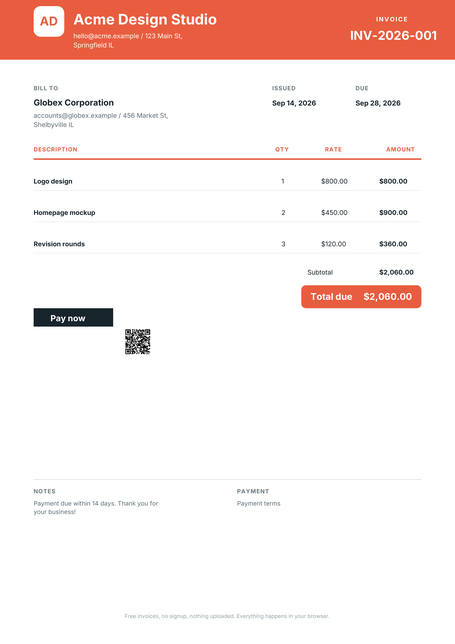
Modern invoice design rendered by MonkeeTools

Rendered by the app itself. Pick a design and it remembers.

The bid wins the job. The paper trail gets you paid for all of it.

One chain, start to paid

Every job runs the same four steps. MonkeeTools keeps them in one place, on your phone:

Step 1QuoteBuild the estimate on-site with itemized lines. Send the link; the client can sign it on their phone.
Step 2InvoiceConvert the quote in one tap when the work is done. Or start fresh, your business details are already filled in.
Step 3ChaseOne click sends a prewritten late-payment reminder from your own email. No awkward phone call.
Step 4PaidMark it paid, send the receipt. Your history shows who owes what at a glance.
AlwaysYour recordsEverything lives in your browser on your device. No account to close, no data of yours on our servers.
AlwaysYour moneyWe never process payments, so we never take a cut. Attach your own payment link or bank details.

Line items that speak general contractors

Set these up once. They are there every time, on every job:

Line itemDeposit / mobilizationUp-front percentage before work starts, invoiced professionally.
Line itemMilestone drawsRough-in, drywall, finish, each milestone its own invoice against the contract.
Line itemChange ordersExtra work documented and invoiced the day it is approved, not discovered at closeout.
Line itemFinal walkthrough balanceThe last 10%, clean and itemized, so the check gets written on the spot.

Built for how general contractors actually work

Progress billing, minus the spreadsheet.
Each draw is an invoice tied to a milestone. The homeowner sees what phase they are paying for.
Change orders stop evaporating.
Document it, price it, invoice it the same day. That is the difference between paid and 'we never agreed to that'.
Bids that look like a real company.
A detailed, itemized bid with your logo beats a one-line number. It also protects you when the scope creeps.

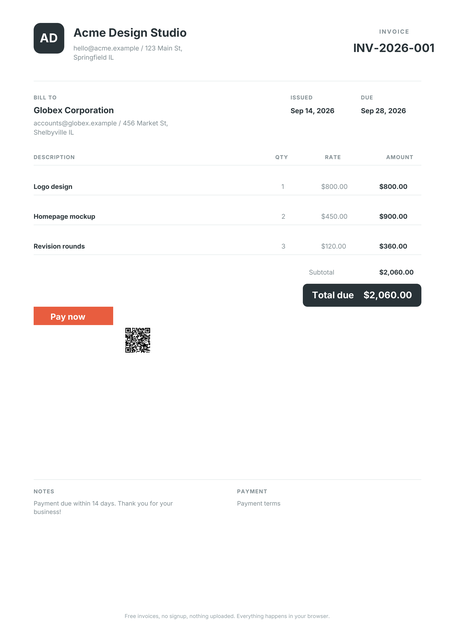
Real invoices, three designs

Rendered by MonkeeTools itself, not mockups. Choose once and the app remembers your pick.
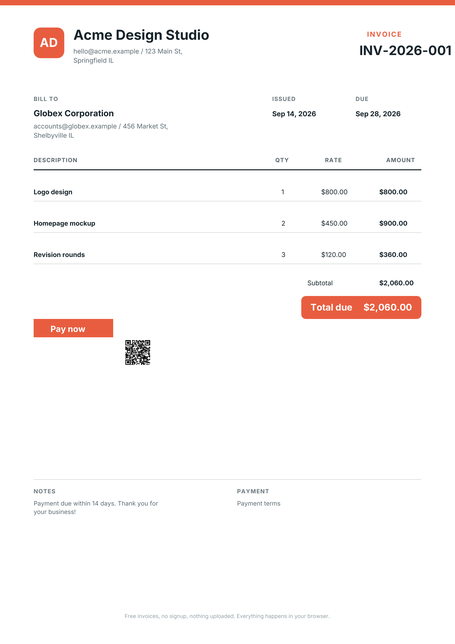
Classic invoice design rendered by MonkeeTools
Classic. The familiar one. Clean header, quiet rules.

Questions general contractors ask us

Do I need an account?

No. There is no account system at all. Open the page, build the invoice, download the PDF.

Can I bill in milestones?

Yes. Make each draw its own invoice, labeled by phase. Your history keeps the whole job's paper trail in one place.

How do I handle change orders?

Add them as new line items on a fresh invoice the day they are approved, so extras never get forgotten at closeout.

Can I take a deposit before starting?

Yes. Make a deposit invoice for any percentage up front, then invoice each milestone as the work progresses.

Can I send a proper bid first?

Yes. Build the bid as a quote with full line-item detail, then convert it to the first invoice in one tap when you win the job.

Where do my invoices go?

They stay on your device, in your browser. MonkeeTools does not store your invoice records on its servers.

Do the work.
We will handle the paperwork.

No signup. No account. Your records are not stored on our servers.

Create my invoice

No signup. Free invoice. Create my invoice